Hey,
I have tried like 20 minutes to figure out how to do it the exact same way like @David did, but with this forums I just can't do it with the "Table" option, idk how to work with it.
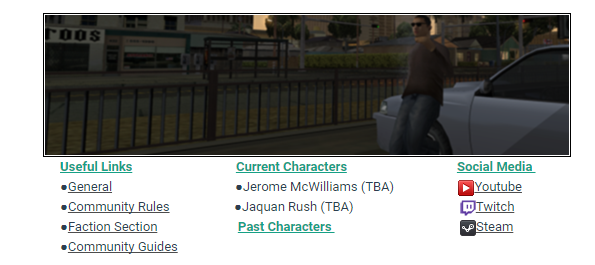
Can anyone help me out please :> thanks 

Started by vans,
Hey,
I have tried like 20 minutes to figure out how to do it the exact same way like @David did, but with this forums I just can't do it with the "Table" option, idk how to work with it.
Can anyone help me out please :> thanks
Try just copy and pasting it then adding the spaces before each line like I did below:

Useful Links Current Characters Social Media
●General ●Jerome McWilliams (TBA)  Youtube
●Community Rules ●Jaquan Rush (TBA)  Twitch
●Faction Section Past Characters  Steam
@vans Basically, since there was no table code that I'm familiar with, I just plainly added spaces in between the text and made it centered out.
Thanks to both of you, I hope you don't mind me using this after I've tried to figure out how to do this, maybe you've seen my old one simple xd
Thanks once again, this thread now can be archived.